Kissena Forum Archive

Bicycle Computers (was Wahoo Elemnt/Bolt)

147 comments · 1501 views
I've had issues with a couple Tickrs now and their build quality. I was having issues similar to yours, @mugwump, and eventually the plastic housing separated and the printed circuit board on the inside was completely corroded. I contacted Wahoo and they warrantied it. Got the same symptoms with the replacement, warrantied again. Not sure if this saga has been at all helpful but a second call to Wahoo Customer Service might be in order.
Wouldn't any HRM strap work as long as it is either BT or ANT+?

I def think there is something to interference from other devices. My ancient ANT+ Garmin strap is spotty indoors using a usb dongle to laptop on Zwift, but is pretty much perfect outside attached to my equally ancient Edge 500 (though my Stages never worked out quite right with the Edge 500 - curious if a newer Wahoo Bolt on order will fix that...).
Wouldn't any HRM strap work as long as it is either BT or ANT+?

I def think there is something to interference from other devices. My ancient ANT+ Garmin strap is spotty indoors using a usb dongle to laptop on Zwift, but is pretty much perfect outside attached to my equally ancient Edge 500 (though my Stages never worked out quite right with the Edge 500 - curious if a newer Wahoo Bolt on order will fix that...).
The strap for the Tickr is a bit different than the straps for Garmin and Polar.  The Tickr sits a bit flatter on your chest by having the snapping points effectively countersunk and the strap doesn't go behind the battery port, but stops just on either side of the port, saving a few mm of height.  I've tried fitting both a Garmin and Polar strap to the Tickr and I couldn't make it work.   

As for the 500 and Stages PM's, I think I know the issue.  I had a problem with my 500 and my Stages and when I spoke to the stages people I believe they said it had to do with the positioning of the antenna in the 500, that it favored right-side transmitters or some such.  If you want to experiment, I'd try putting the Edge on the left side of your bars or atop the top tube by the crank and see if it reads better here.
On the bad side, my HRM woes date back to September 4, 2021.  And you can't call Wahoo anymore, and they don't seem to have a 'chat support' setup, so I write them, wait a day, get a response, typically respond within an hour or so, and then wait at least another day for a response to that.

On the good side, I might have found a solution.  The problem might have been the strap itself.

Yesterday, I had to ride indoors.  I lubed up the contacts well, and rode for an hour. The Tickr finally started sending signals to my Bolt after 19 minutes.  It got me thinking.

When I got the new Tickr, I took the old strap and used it with the new transmitter, as it was already adjusted for my chest.  Today, I adjusted the new strap and connected it to the new transmitter.  It started working right away.

A caveat is that it seemed the firmware on the Bolt was updated before I started riding today.  


The HRM is working now.  

I went through the straps I have.  The Polar one doesn't work, as the snaps on the Polar don't seem to be deep enough.

However, the Garmin Soft Strap does work.  The transmitter doesn't sit as flat on the Garmin, but it does transmit.

it's this one

I had issues with my Tickr before and did a reset.

Stick the battery in upside down and leave it in there for 5ish seconds. Then reinsert correctly to reset.
Not Wahoo-related but cycling computer-related: I've the Garmin Edge 530, I like it well enough but something I am missing in it from my old Bolt is the ability to enter an address and have it route me there. Am I missing something or is this just not a feature on the Garmins?

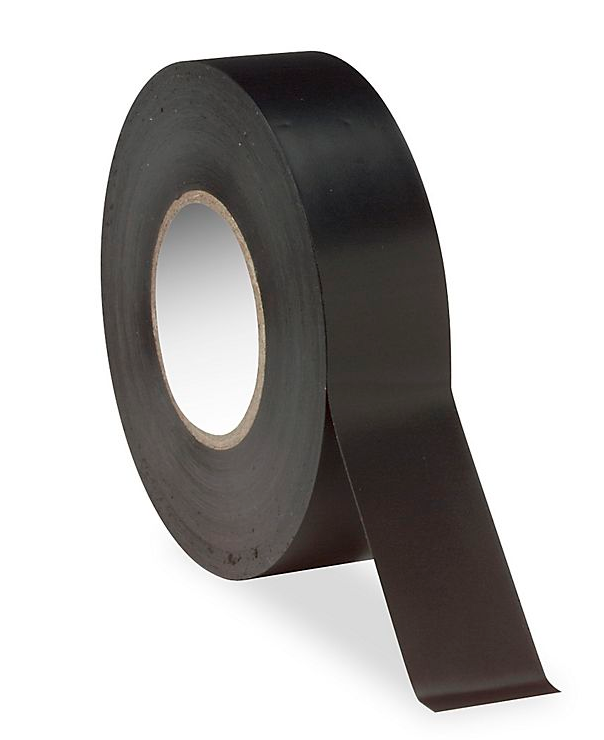
BTW, I fixed my Wahoo bolt dangling power button, by just placing a piece of tape over it -- just had to cut it in the right shape.

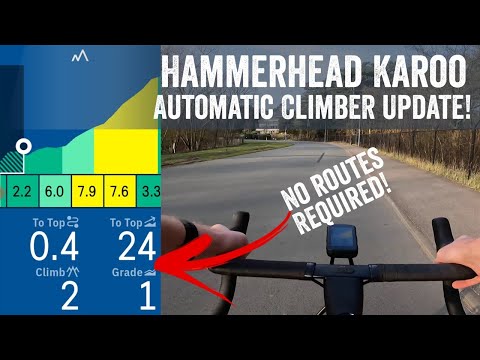
As mentioned on this thread, upgraded to a Hammerhead Karoo 2, and been loving it.

https://forum-archive.kissenacycling.com/discussion/87-p237.html#Comment_116594

Hammerhead joins the SRAM portfolio of brands.


https://www.hammerhead.io/blogs/teamjournal/hammerhead-joins-the-sram-portfolio-of-brands

eloy said:
wow.  Wahoo muscles in on their terrain with power, they strike back with a bike computer.  Wonder how they'll integrate.  I wonder if they'll come out with a cheaper unit; thinking they will.

Seems weird.  Was hammerhead running out of money?  They'd been at it for years and barely seemed to have market penetration.  But I always figured there was something else going on and they were playing the long game.
https://www.velonews.com/gear/sram-acquires-chris-froome-backed-company-hammerhead/
DC & Lama agree this is the hotness.

https://www.youtube.com/watch?v=W0Xzbbdd0A0
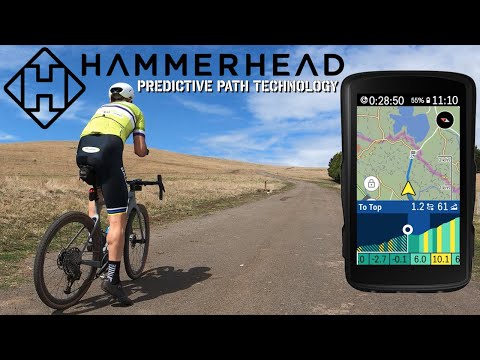
https://www.youtube.com/watch?v=0wiAXHm2r9c


Does anyone have experience with using the Wahoo app for recording walking or running?

I've been using it for the past week or so to record my walks. The altitude numbers it comes up are incredible. Today's four-mile walk is listed as having over 1500' of elevation.  When I put it in Strava, it brings it down to a more reasonable 163', though that seems low.  I also just put it into MapMyRide, and it has me at 159', which doesn't include the walk up the stairs to my apartment.
 
mugwump said:
Does anyone have experience with using the Wahoo app for recording walking or running?

I've been using it for the past week or so to record my walks. The altitude numbers it comes up are incredible. Today's four-mile walk is listed as having over 1500' of elevation.  When I put it in Strava, it brings it down to a more reasonable 163', though that seems low.  I also just put it into MapMyRide, and it has me at 159', which doesn't include the walk up the stairs to my apartment.
 
The wahoo app has become my goto for running, been using since 2019 or so, never had much trouble with it -- which is why I keep using it.

My suggestion is that this could be an issue with the phone or device, an easy way to test this theory is to track a run with another app, like Strava and see what you get.
HAving an issue that I can't diagnose.

Both this Sunday and last Sunday, I did my ride, uploaded to TrainingPeaks, saw the file there, then downloaded the file into my WKO+ and then tried to upload it to Strava.  

It failed.  

Strava tells me "The upload appears to be malformed and we are unable to process it."

In WKO+ it doesn't have any data other than time.

I checked the computer itself.  It has all the data.

I checked the Elemnt app.  It has the location data, but not the average speed, though it did indeed record speed, because I can see the chart.

I'm wondering if anyone has seen this before and can explain how I can correct it.

thanks.


you need to buy a new bike! (obvs)
JP any reason why you wouldn’t upload or sync to Strava directly from the wahoo? I must be missing something.
wondered the same thing, why not sync and upload directly?
-- regardless, sounds like the data or file got corrupted?

If you have location data and time, generally you should have literally everything else, as speed  and distance are calculated via location and time.

Wonder if the activity type got changed to another non cycling type?
@David Yang @eloy

Those are good questions.  

As for my preference, I don't share all my rides on Strava.  I don't want the world to see every ride I do. 

I wrote Wahoo.  They don't have an explanation for what went wrong.  But they did say to physically connect my Bolt to my computer via a cable and then transfer the file that way.  

As I have an Apple, I need the Android File Transfer app.  Which I already had, apparently for this very reason.  Basically, copy the file onto my computer and then upload.  It works.

Thing is, I don't see any explanation of why this occurred or why it's only happening intermittently, or what possibly got corrupted when getting beamed from the Bolt to the cloud.

Here's Wahoo's page on what to do  https://support.wahoofitness.com/hc/en-us/articles/115000127910-How-do-I-connect-the-ELEMNT-to-my-computer-
Whatever works for you.

In your situation, I would sync and auto update all my rides to strava, make then all private by default, and then manually make public if I wanted to share. But again, whatever works.

There a few things that I honestly enjoy from this: Automatic upload, i.e. you don't have to do anything, but finish the ride (at least for most rides), eventually you have a log that is become years long.

Concerns around privacy aside for a moment, Strava has years of almost possibly every single workout or activity I've done since 2015 -- routes, races, who was there, when it started, when it ended... etc... it is great to go back and see what worked, what maybe didn't, etc etc... 
@eloy

I've been using WKO+ since 2005, when I started training with power.  First, on a PC laptop, then within a Parallels universe on a Mac Laptop, then on a few Apples.  I have over 8500 workouts there.  I've got a pretty good way to go back and dig into my past.  I can use WKO to slice and dice data in so many ways.  
Outside of any concerns with privacy on Strava, I think your workflow can exist in parallel: Upload directly from Wahoo to both Training Peaks and Strava with the latter being locked down by default. You can still go through your TP to WKO+ workflow to upload workouts, etc. and share/unlock ad hoc the workouts or rides you want public on Strava. This way there are fewer junctions where the data can be corrupted downstream from the source - the final destination will get the data directly from the source.

I still feel like I'm missing something, but sounds like you already found some workarounds.
So, on the ride today, my power meter's battery died after the Tompkins Cove Deli.  So it didn't record power or KJ for the final 40 miles.  Kind of bummed about this in terms of data capture/TSS.

Anyone know anything about faking the data for part of a ride?  I'd want to enter what I think is the average power for that 40-mile section so I can get an estimate of what my total work is and see it reflected in my daily/weekly TSS score.


You can try here:
https://www.fitfiletools.com/#/top
Old tech problems.

I've been using a garmin foot pod mated to an old Garmin FR70 watch to track my runs.  Relatively low tech; the watch is non GPS (meaning its also small and light) and runs off a 2032 battery.  It lasts a year or so.  The watch used to communicate with my home computer via an ANT stick and a program called Garmin Express.  It would pair HR and distance and laps on a graph.  I liked it.  

This fall, the stick was no longer syncing with the Garmin or the program or both.  And I noticed that the calibration, despite my efforts, seems off on the foot pod.  It measures .2-.6 miles less than what I've done depending on the run.  I tried reaching out to Garmin, but their online support states they don't support old products.  

I was intrigued by Wahoo's Tickr X.  It's a HRM that can not only record heart rate offline, but also run distances and running dynamics.  If you tap it twice while you're using it, the device will record a lap marker.  All you have to do is sync it with your phone app when you get home.  Garmin has something similar, the HRM Pro Plus, but it seems to need to sync with a Garmin smart watch at the end and it's way more expensive.  I saw a Tickr X on an eBay auction for $15.  I bid on it and won.  With shipping, it was $21.  

I was stoked.  Synced it with my Garmin watch, so I'd have HR during my run and figured I'd be able to compare Wahoo's run capabilities with the watch and MapMyRun.  I ran.  I double-tapped.  I came home.  It only recorded HR over time.  I can see a graph, but no run info, no laps.

I reached out to Wahoo.  It seems they recently discontinued both the Tickr X AND the functionality of the unit--the unit is no longer for sale on the website, but the support pages are not updated to reflect this.  I asked if I could go back to older firmware to get the functionality back.  The support person said probably not.  
I've been using a tickr x for a while, both on the bike and running.

When running, I pair it with my phone and wahoo app to track the run, and the HR monitor does a great job at capturing running cadence and heart rate, it used to provide the time of the step.

The capability for it to record on it's own never lived to its promise, I mean, it works, but no one uses it -- in 2024 either an app or watch will be used to record the activity. Running/Multisport watches today are kinda amazing.

Here's DC Rainmaker chatting with Wahoo's CEO where they chat about the full product line:
https://www.youtube.com/watch?v=WNfYi8jU4ss
@eloy  I actually happen to be somebody living in 2024.  

I also just happen not to want the encumbrances of a phone or rechargable watch for running.  

Interestingly, even the CEO says that most customers just want to turn on a unit, have it record data, and that's it.  He agrees that simplicity has value and every extra feature means an extra thing that goes wrong.  
mugwump said:  

I also just happen not to want the encumbrances of a phone or rechargable watch for running.  
Yes, totally understand and I get that, there is something freeing about that, but there is no good way to then track the run.

In part, because most enthusiast runners will use a watch or phone to track their run. 
JP, I think those days of a simple tracker module that you sync up manually later are gone and replaced with smartwatches - for better or for worse. I used to have this Nike+ thing that integrated with a specific pair of shoes and I think a dongle on my iPod Nano, but that was in 2006 or 07 (before knee injuries that lead to cycling, naturally). The idea was that the GPS and step counter would record through the dongle to the iPod and then when you synced the iPod up later with iTunes, it would download it into their Nike+ program/website. Pretty sure it had one of those cell batteries that would last for months.

Now people just strap on their smartwatch and everything records and syncs up wirelessly. Kinda great, but also yeah, there's a $200-900 thing you gotta buy.

If you're cool without a phone/cell service, can you take a bike gps unit and use that to sync up an HRM and record the route?
What I'm currently doing for my runs is wearing the Tickr X, with my Garmin footpod and Garmin watch, and going for the run.  Out of curiosity, I'm retracing my run on MapMyRide to see if I can figure out a pattern to calibrate the footpod more accurately.  

The Tickr X running dynamics, such as they are, when I walk with it and my phone, don't seem to be all that specific.  They pretty much do what the footpod does though I can't tell the Tickr X's accuracy, as that's been shut off.

It feels nutty to me that Wahoo would deactivate a feature on its own product, a feature its consumers are presumably using, without giving them an option to avoid it or turn it back on.  Yes, other companies do this, but often the excuse has to do with safety.  

And stranger still is not having a note about it anywhere in the "support" section, making it necessary for people to write them to find out what went wrong.  When I asked why they deactivated the features, the person wouldn't say.