Kissena Forum Archive

Bicycle Computers (was Wahoo Elemnt/Bolt)

147 comments · 1501 views
In the DC Rainmaker interview with the Wahoo CEO, they said that some new product is being announced in January of this year which has been in the works for the better part of a decade. It's obviously pure speculation but maybe they deactivated the feature in anticipation of whatever the new product is with the hope that it ends up moving the user base over?

Like Matt, this is speculation, but very likely that maintaining that feature has a cost for Wahoo that is no longer worth it, as almost no one uses it.

-- I would imagine this is not set it and forget it for them. For example, they recently updated their tracking app, which would then need to support that feature, etc. Cheaper and easier to just remove it.

Interesting and related: In the interview, the Wahoo Rival watch is mentioned in similar light. Running/Multisport watches today are so good and that ecosystem so mature (Garmin, Coros, Fitbit, Apple, Polar, etc) that the money/effort investment Wahoo would have to make to be competitive is so high that they rather drop development of the Rival altogether. -- As it is hardware, they do need to stay committed to some level of support for the watch.

--- 

I agree on the consideration on price, and yet another gadget. But most of the problems discussed on this thread are solved by most runners today by, investing on, and wearing a modern running watch

-- on a warm day, you need shoes, shorts, a top, and the watch, that's it (no hr strap, no pods, etc...) and this will show, track and record everything you need (pace, time, gps route, running cadence, laps, heart rate, calories, etc..., even some including an estimate on running power + spotify playlists)
So, because of all you tech promoters, I ran today with my phone and Tickr X and foot pod and Garmin watch.  I turned on the Wahoo app, got it synced with GPS and ran.  Because I don't want to get interrupted by calls or texts, I turned off the data connection.

The Wahoo/Tickr X said my run was 5.63mi and I burned 947 kcal.  It says I averaged 172 steps per minute and maxed at 190.  Garmin says 6.82 and 817 kcal, with 90spm average and max of 94.

 Seems like the Wahoo app doesn't work when it's not hooked up to a cellular network.  That seems to be a choice of theirs as GPS bike computers do fine without cellular and several mapping programs also work fine without cellular.  Wonder what the rationale is for that.

 I should have checked the Apple fitness app at the end of the run, because I just checked it now, after walking perhaps another mile or so.  It says i have moved 8.82mi.  

 I went to MapMyRide and retraced my route.  It was 7.22mi.  


I chatted with Wahoo support.  

They said it was because my "pace" information in teh Wahoo app was toggled to reading off the Tickr X rather than the GPS of the app.  It also doesn't explain why it didn't give me mileage at all when I used the app on a walk the other day.

I'm embarrassed to report I didn't ask why the other metrics--vertical oscilattion and ground contact time didn't get recorded, and steps seemed so high.  I did ask but I didn't make a point of separating the question.
You can totally bring that up again. 
BTW, the Wahoo cadence wasn't high. A normal running cadence is usually 170 steps per minute to 190 spm -- my guess is your pod is one foot, so you got 90 ish spm, but you have multiply by two?

Sounds like a learning is to keep data on while tracking with a phone, which makes sense

Additionally, unless you talked to a product manager or engineer that works on the app, I wonder how likely is it that you spoke with anyone very familiar with the app. While it does track running well-ish (it is what I've used) the main goal of the app is to be used with their indoor cycling hardware. That is, running or walking tracking and accuracy is not a Wahoo product priority at all. We just align expectations accordingly.
got our answer regarding what that new Wahoo product is- a treadmill (that admittedly looks very very cool)
It *almost* makes me want to get into running.
cross posting the video here too
https://www.youtube.com/watch?v=BbiHG6s6J4M


GregHoge said:
It *almost* makes me want to get into running.
same! then I saw it was going to cost about $5k and that feeling immediately went away
I don't get the aversion to a watch to do everything. My Garmin watch is like 5 or 6? years old; holds a charge for a week, and doubles as a backup bike (ant) computer.

Why so complicated?
I've been having issues with my Wahoo Bolt connecting with my home Wifi and automatically uploading.

The issue is that it hasn't been working for a few months.  I've cleared the router name and password from my Wahoo several times and that does nothing.  

I tried troubleshooting with Wahoo.  They point to it being a router problem.  My cable company, Spectrum, wants to put it as a Wahoo problem.

After a long back-and-forth, Spectrum is sending me a new router to see if the problem goes away.  
Most routers, surprisingly, specially low quality routers, like the one spectrum uses, have a limited lifespan. That might or not fix your specific problem of course. But hope it does. 
I had the same symptoms when I replaced my Bolt V1 with a Bolt V2 some years back and solved it by setting up a guest network on a different frequency: it seems to be a problem with Wahoo using outdated wifi hardware, so try using the most standard frequency available and certainly nothing 5GHz related. 
mugwump said:
I've been having issues with my Wahoo Bolt connecting with my home Wifi and automatically uploading.

The issue is that it hasn't been working for a few months.  I've cleared the router name and password from my Wahoo several times and that does nothing.  

I tried troubleshooting with Wahoo.  They point to it being a router problem.  My cable company, Spectrum, wants to put it as a Wahoo problem.

After a long back-and-forth, Spectrum is sending me a new router to see if the problem goes away.  

You are 100% way more tech savy than i am and you probably tried this already , I had issues also , it appeared to be that my settings were "smart " wahoo doesn't like 5g networks
mugwump said:
I've been having issues with my Wahoo Bolt connecting with my home Wifi and automatically uploading.

The issue is that it hasn't been working for a few months.  I've cleared the router name and password from my Wahoo several times and that does nothing.  

I tried troubleshooting with Wahoo.  They point to it being a router problem.  My cable company, Spectrum, wants to put it as a Wahoo problem.

After a long back-and-forth, Spectrum is sending me a new router to see if the problem goes away.  

You are 100% way more tech savy than i am and you probably tried this already , I had issues also , it appeared to be that my settings were "smart " wahoo doesn't like 5g networks

thanks for the praise and the suggestion.  Yes, my router does both.  but I am signing in to the 2.4ghz broadcast signal.

Eloy, 
     I don't recall when I replaced the router last.  I'll scribble the install date on the new one.  
Update on my Wahoo issues.

I replaced the router.  It didn't solve the problem.  Though it is faster. 

I vanished the TrainingPeaks connection in my Elemnt app, then reconnected.  I also made sure my ridewithGPS connection was on.

When I looked into the router details, I could see that my Bolt was connecting to the router.  It wasn't  uploading to TrainingPeaks, but it was uploading to ridewithGPS.

I contacted Wahoo again.  They now see it as an issue with TrainingPeaks and the app and are trying to resolve the problem.  
This problem started for me recently too. After some online scrolling seems like it's effecting most users (if not all). I saw a few people say if you edit the name of the workout in the Elemnt app and then try to upload it there is some success. I tried it with my ride today and got no where (it ended up loading into TP about an hour and a half after I finished the ride
Currently, I have to have the app on my phone open, wait for it to load into the app, then go to the upload page and touch the cloud button and it uploads.
I have been having the same issue. Workouts upload to Strava with no issue but don’t upload to Trainig Peaks. It wouldn’t work manually either. I disabled and reenabled TP, which at least allows me to go in an manually upload to TP, but I suspect one of these entities broke something that is causing enough problems that eventually someone will fix it
Just got a message from Wahoo support:


Natasha (Wahoo Fitness Support) 

May 1, 2024, 7:58 AM EDT 

Hi JP,
 
Thank you. Wanted to confirm that you were no longer having issues with TP (on our side) and that RWGPS hasn't become an issue for you.
 
Keep us posted,

Natasha

This little guy just works...
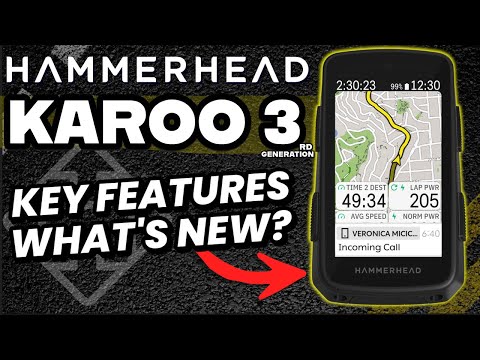
New Hammerhead Karoo announced today:
https://www.hammerhead.io/products/karoo 

https://www.youtube.com/watch?v=jVLyTi4lpfw&pp=ygUQaGFtbWVyaGVhZCBrYXJvbw%3D%3D
It's weighs a little less?  I thought they were going to go with a smaller size to have something to compete with the Bolt and Garmin 5-series.
$475 !!!!!
But Mark if you buy a bike with the new Red groupset, you get the head unit too!
That's a smart marketing move to increase adoption.

On a related note, what's the best computer for selective rerouting to stops?  My situation is that I'm intending to pick out a bunch of potential stops for my ultra this summer and want to be able to pick and choose which ones to re-route to as I go.  For example, if I'm getting close to a gas station that is 2 miles off the course, I want the head unit to notify me and give me an option to route to that gas station.

The best situation I've got now is to mark them in RideWithGPS with an alert, but that won't route me there.
On wahoo I would make a route that includes all potential spots. You’ll see the diversion to the gas station on your map in advance if you zoom out a bit, and if you don’t need the stop you continue straight and the route will pick up from there. Certainly not perfect, but it’ll do the trick. Guess this would work the same on Garmin.
hammerhead has best in class rerouting, and will likely handle this better than most 

I agree that you want the route to include the stops (including the deviation) and if you rather continue straight most devices will just “reroute” you 

Basically I would suggest thinking about it the opposite way: where the road to the POI (point of interest) is part of the official route and you can always choose to ignore a turn and go straight (consider this the deviation) which then the device will reroute you 

Looks like a new player is entering the space, not much info on this yet:
https://coros.com/dura 

Coros of course, makes running/multisport watches, where its been pretty good at delivering full feature sets at low prices -- my running watch is the Coros Pace 3 and it is very good.