
Oct 29, 2024 at 03:23 PM
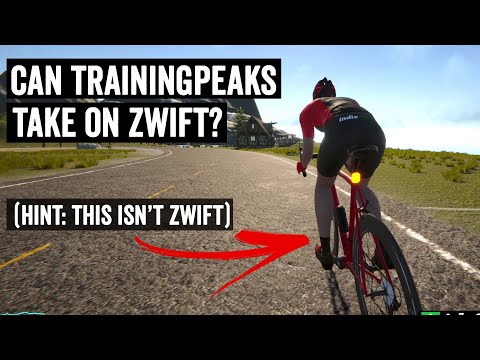
Indie Velo becomes Training Peaks Virtual
https://www.dcrainmaker.com/2024/10/trainingpeaks-acquires-indievelo.html
https://www.dcrainmaker.com/2024/10/trainingpeaks-acquires-indievelo.html


Message Patrick with your user ID and i think he gives you a code.Mark Taylor said:How do you get the kissena kit in zwift ?


Have a similar problem. The only place I can ride indoors is my small bedroom. In the winters, I keep my bike on the trainer (Kickr Core) but luckily the bike can rotate backwards (rotating via the cassette) when I'm not riding it so you can have the bike vertically with the saddle resting against the wall. I've found this is the best solution for me. Still takes up space, but at least reduces the footprint and gives you some walking space.MaxBucksbaum said:I am toying around with an indoor setup for this winter, looking for some advice from fellow small apartment dwellers.
I live with my GF in a 1bd, and I think having a bike set up constantly is going to be a non starter for her. I was looking into the Kickr Rollr as it seems like a pretty easy setup, and I hate having to deal with removing and re-installing my rear wheel. Does anyone use the Rollr and have any strong opinions?





Was about to add somewhat similar comments than those from Lennart.
The easiest way to do a workout indoors is to connect Training Peaks to Zwift. Then the TP workout simply appears on Zwift when you login, you select it and you ride it
Alternatively:
Zwift has tons and tons of workouts already, there might be one that is close to what you are looking for (that way you don’t even need to connect to TP)
you can create workouts on the zwift UI itself – this is not a widely used feature, expect it to mostly suck (I created one, years ago, for work)
The UI and workout experience on Zwift alone makes the price and initial setup worth it – almost everything else I discuss below is possible, but not as good in comparison
If it must be free:
Zwift has a 14 day free trial
MyWoosh is a competitor to zwift and fully free (I have never used it)
This is a UAE company, they sponsor the team and Pogi
Connect it to Training Peaks and off you go
Like zwift it has plenty of already available workouts you can select
Training Peaks Virtual might be worth checking out
Most trainers have an app than control the trainer, some allow workouts – no one uses this, expect it to suck
Similarly, a Wahoo cycling computer (like the bolt) can control a Wahoo trainer -- so if you get the structured workout to the cycling computer, the trainer will follow the workout – no one uses this, expect it to suck
Re: Erg and short intense Intervals
On virtual platforms, like zwift, you have two ways to execute a workout “ERG” and “SIM”
Erg the trainer sets the resistance to an exact wattage and keeps you there
On Sim you set the resistance, usually by shifting, and try to hit the desired target watts (like the outside world)
Zwift is somewhat smart and when on “workout sim mode” it will set a constant resistance (approx the same of a 3~4% gradient) so you can more easily adjust your effort (your avatar still moves faster/slower depending on gradient, power, etc)
Zwift, and most platforms, allow you to switch mid workout between ERG and SIM
Short high wattage efforts, like 30/30s or 15/15s are better on SIM mode, because it’s hard to predict exactly what the target wattage is. These are often hit them as hard as you can.
If you can set the right targets and hit them, then ERG will work great – or if they are short but more chill, for example, over-unders 30 seconds at 95% FTP followed by 30 seconds at 110% of FTP – ERG would be awesome, set it and forget it.
That was a lot, and not sure why I felt the need to type it all out. Hope it helps.
TLDR: Consider paying for zwift, it is not perfect or for everyone, but you are highly likely to enjoy it, will make all of this easier, and that may be worth the price.
i use trainerday a lot on my phone when i'm feeling lazy. It's super simple. I just set it to my z2 wattage and just lock my phone and ride for an hour and maybe watch a show on my laptop. set it and forget it. the ease and convenience really fills a niche for me.mugwump said:@eloy
Thanks. totally worth it to me.
With 30-30s, I was thinking of a VO2 micro-interval effort I was doing on rollers, which was more 115%-85% of FTP. It was really hard to keep the wattage consistent, which might be part of the reason to do it, but my reading suggested that ergometers could be set up to do so.

It's probably not the most accurate, but if I'm riding the trainer consistently, I do them once every couple weeks or so (if I'm just hopping on because it's gross outside but I'm predominantly riding outside, I'll warm up for 10 minutes then do one).mugwump said:
A question for those who are on a Wahoo but not on the Systm: when/how do you do the spin-down test to get the power accurately measured? Do you do it at the start of a ride or interrupt your training routine 10 minutes in and go over to the Wahoo app? Or can you pause your workout in whatever app you're using, spin down, and get the thing zeroed out?
I could be if there's more info.EricMa said:Anyone interested in the Zwift Racing League? https://www.wtrl.racing/zwift-racing-league/
Looks like Round 3 of the "season" starts in mid-Jan. Not totally sure how it works, but looks like we get 8-10 folks on a roster with the expectation 6 will be available for a weekly race against other teams to earn points that accumulate week-over-week. Could be a good way to break up indoor training.
I believe I am a Category "C" rider at the moment. I'll find out more details, but sending out a feeler!

Awesome! Thanks for letting me know. Totally agree, definitely confusing. I will surely be learning as I go too.David Yang said:Hey Eric! Thanks for organizing - the setup was kind of confusing, but we managed to have a season or two of Zwift racing during lockdowns a few years back.
I'm registered and interested!
 https://www.youtube.com/watch?v=vxKFo0IvWCY